Introduction
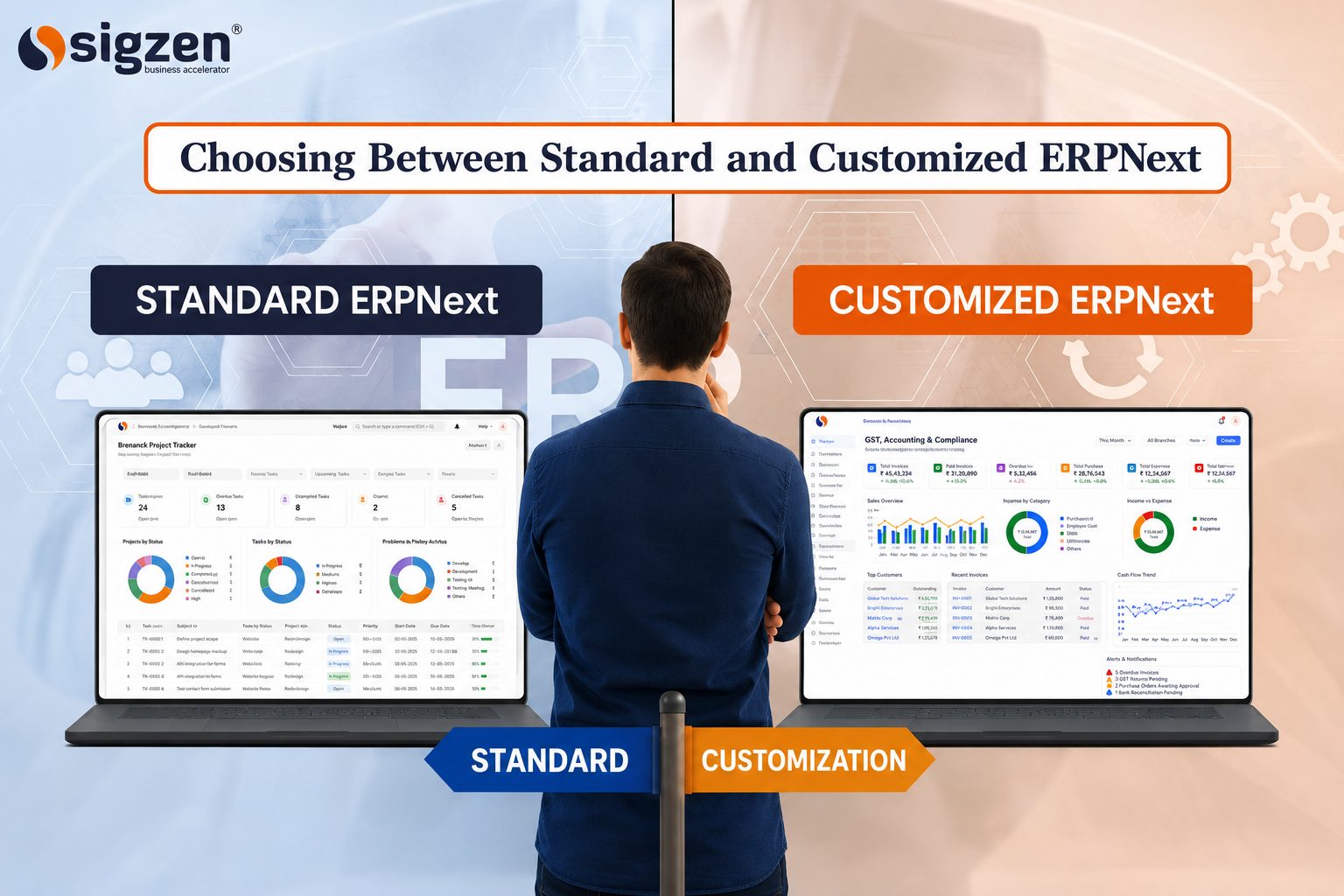
Standard ERPNext includes built-in modules, workflows, reports, and dashboards that help businesses manage finance, inventory, sales, purchasing, and manufacturing. For many organizations, these features are enough to support daily operations without additional development. ERPNext Customization is the process of modifying or extending the system to support unique business requirements. This may include custom workflows, reports, approvals, or integrations that are not available in the standard ERPNext setup.
Every business has different operational requirements, which is why many organizations evaluate ERPNext Customization during an ERPNext Implementation. While standard ERPNext can manage most business processes through its built-in features, some companies require custom workflows, reports, approvals, or integrations to support their specific needs.
Before choosing ERPNext Customization Services, it is important to determine whether the requirement can be addressed through configuration or requires custom development, helping businesses achieve their goals while keeping the system efficient and easy to maintain.
Why Do Businesses Consider ERPNext Customization?
Businesses often choose ERP systems to create consistency across departments, but operational needs can change over time. As organizations expand, they may introduce new approval levels, customer-specific processes, compliance requirements, or performance tracking methods that are not part of the standard setup. In such situations, companies evaluate whether additional changes are needed to support their day-to-day operations more effectively.
Another common reason is the need for better alignment between software and existing business practices. Some organizations require industry-specific functionality, detailed management reports, automated notifications, or specialized data capture methods. Companies looking to improve operational control, resource utilization, and process standardization often assess how the system can support these requirements without disrupting productivity.
The decision should always be driven by business objectives rather than personal preferences. A well-planned approach can help organizations strengthen operational efficiency, improve information accuracy, support regulatory requirements, and create a foundation for sustainable business growth.
When Should You Customize ERPNext and When Should You Avoid It?
Standard ERPNext can handle many business requirements without additional development. However, some situations may justify customization.
The key is to evaluate whether the requirement delivers measurable to your business value or can already be addressed using existing ERPNext capabilities.
| Necessary Customize ERPNext | Not Necessary Customize Erpnext |
|---|---|
| Your business follows unique operational processes that cannot be managed through standard workflows. | The requirement can be handled through existing settings, permissions, or workflow configuration. |
| Industry regulations require specialized validation, documentation, or compliance controls. | The change is based on user preference rather than a genuine business requirement. |
| You need advanced approval processes involving multiple departments or decision levels. | The existing ERPNext workflow already supports the approval process effectively. |
| Specialized reports or performance metrics are critical for business decisions. | Standard reports and dashboards provide the required information. |
| Integration with external software, machines, or industry-specific systems is essential. | The process can be managed within ERPNext without connecting additional systems. |
| Customer-specific processes require functionality that is not available in the standard application. | The requirement affects only a small number of occasional transactions. |
| Additional data capture, validation rules, or automation are necessary for operations. | The requested change increases complexity without delivering measurable benefits. |
| Customization supports long-term growth, efficiency, or regulatory compliance. | Customization could create upgrade challenges without significant business value. |
The decision to customize ERPNext depends on the specific needs, processes, and objectives of the business. Evaluating each requirement carefully helps organizations understand whether standard functionality is sufficient or if additional changes are needed to support their operations effectively.
Configuration vs Customization: Which Should You Choose?
Before making changes to ERPNext, it is important to understand whether your requirement can be addressed through configuration or if customization is truly necessary. Choosing the right approach can help reduce costs, simplify maintenance, and ensure the system continues to support your business as it grows.
Configuration Should Be Your First Choice
Configuration allows businesses to adjust settings, permissions, workflows, and forms without changing the core application. It is often the fastest and most cost-effective way to align the system with operational requirements.
Choose Customization for Unique Requirements
When standard features and configuration options cannot support a specific process, customization may be required. This approach is typically used for unique business functions, advanced controls, or specialized operational needs.
Consider Long-Term System Maintenance
Every change made to an ERP system should be evaluated from a maintenance perspective. Simpler solutions are generally easier to manage and require less effort during future updates.
Evaluate the Business Impact
The decision should be based on measurable business outcomes rather than convenience. Organizations should assess whether the proposed change improves productivity, accuracy, or operational performance.
Think About Future Expansion
Business requirements often evolve over time. Selecting an approach that supports future scalability can help avoid unnecessary redevelopment as operations grow.
Balance Flexibility and Standardization
While flexibility is important, excessive modifications can make a system harder to manage. A balanced approach helps organizations maintain consistency while still addressing important business needs.
Involve End Users in the Decision
Employees who use the system daily can provide valuable feedback on process challenges. Their input can help identify whether a requirement truly needs development or can be resolved through existing functionality.
Focus on Business Value Rather Than Features
The goal should be to solve operational challenges and improve efficiency. Every change should have a clear purpose and contribute to better business outcomes.
The right choice depends on your business requirements, operational complexity, and long-term goals. By evaluating each requirement carefully, organizations can make informed decisions that support growth while keeping the ERP environment efficient, maintainable, and scalable.
Risks of Unnecessary ERPNext Customization
Not every requirement needs custom development. Unnecessary ERPNext Customization can increase project costs, extend implementation timelines, and make the system more difficult to maintain. Excessive modifications may also create challenges during upgrades, require additional user training, and increase dependence on custom features.
Over time, too many changes can reduce process standardization and make troubleshooting more complex. For this reason, customization should only be considered when it solves a clear business requirement and delivers measurable value to the organization.
Benefits of Strategic ERPNext Customization
When customization is planned carefully and aligned with business goals, it can help organizations improve efficiency, strengthen process control, and gain more value from their ERP investment.
- Better Process Alignment: Ensures the system supports business operations more accurately and efficiently.
- Improved User Experience: Makes daily tasks easier by matching workflows to how employees actually work.
- Increased Operational Efficiency: Reduces manual effort and helps teams' complete tasks faster.
- Enhanced Data Accuracy: Capture and validate information according to specific business requirements.
- Stronger Compliance Management: Supports industry regulations, documentation needs, and audit requirements.
- Better Decision-Making: Provides access to business-specific reports, metrics, and performance insights.
- Seamless System Connectivity: Enables smooth information exchange with external applications and platforms.
- Greater Process Visibility: Helps management track activities and monitor operations more effectively.
- Improved Customer Service: Supports customer-specific requirements and faster response times.
- Scalable Business Operations: Allows the system to adapt as business needs and operational demands evolve.
The greatest benefits come from making only the changes that deliver measurable business value. A focused approach helps organizations improve performance while maintaining a stable and manageable ERP environment.
Best Practices for ERPNext Customization
A successful customization project requires more than just technical changes. Following a structured process helps businesses implement the right modifications while keeping the system efficient, scalable, and easy to maintain.
The following steps can help organizations make informed customization decisions and achieve better long-term results.
Step 1: Identify the Business Requirement
Clearly define the business challenge or process gap that needs to be addressed. Understanding the root cause helps ensure customization is driven by actual business needs rather than assumptions.
Step 2: Review Standard ERPNext Features
Explore existing ERPNext functionality before considering development. Many requirements can often be addressed through standard features, reducing implementation effort and complexity.
Step 3: Assess the Business Impact
Evaluate how the proposed change will affect daily operations, users, and business performance. Prioritizing high-value requirements helps maximize the return on investment.
Step 4: Prioritize Critical Requirements
Focus on customizations that support important business objectives and operational improvements. Avoid low-priority changes that add complexity without delivering significant value.
Step 5: Plan for Future Growth
Consider how customization will support future expansion and evolving business requirements. A scalable approach reduces the need for major modifications later.
Step 6: Involve Key Stakeholders
Engage department heads, process owners, and system users during the planning stage. Their feedback helps ensure the solution aligns with real operational needs.
Step 7: Test Before Deployment
Thorough testing helps identify issues before the system goes live. Validating workflows, reports, and transactions reduces the risk of disruptions during implementation.
Step 8: Document All Changes
Maintain detailed records of customizations, workflows, and business requirements. Proper documentation simplifies future support, training, and system updates.
Step 9: Monitor Performance After Go-Live
Track whether the customization is delivering the expected operational improvements. Regular monitoring helps identify opportunities for further optimization.
Step 10: Review and Optimize Regularly
Business processes and requirements change over time. Periodic reviews ensure that existing customizations continue to support organizational goals effectively.
The most effective ERPNext customization projects focus on solving genuine business challenges rather than modifying the system unnecessarily. A structured approach helps organizations achieve better results while maintaining a stable and manageable ERP environment.
How to Build a Sustainable ERPNext Strategy
Building a sustainable ERP strategy is about more than solving today's challenges. Businesses need an approach that supports current operations while remaining flexible enough to handle future growth, changing market conditions, and evolving business requirements. Whether you use Standard ERPNext or invest in ERPNext Customization, long-term success depends on careful planning, consistent processes, and regular system reviews.
Align ERP Goals with Business Objectives
An ERP system should support the overall goals of the organization. Before making changes to workflows, reports, or processes, businesses should ensure that every decision contributes to improving productivity, operational efficiency, customer service, or business performance. When ERP initiatives are aligned with business objectives, it becomes easier to measure success and prioritize future improvements.
Standardize Processes Wherever Possible
Many organizations operate with different teams following different procedures for the same task. Standardizing key processes helps improve consistency, reduce errors, and simplify day-to-day operations. Since ERPNext ERP Software is built around proven business practices, companies can often achieve better results by adopting standard processes where practical.
Use Customization for Genuine Business Requirements
Not every requirement needs custom development. Businesses should evaluate whether a process can be managed using existing ERPNext features before requesting modifications. When ERPNext Customization is used for genuine operational needs, it can provide value without adding unnecessary complexity to the system.
Maintain Clear Documentation
Documenting workflows, system settings, approvals, and process changes is important for long-term system management. Proper documentation helps new employees understand business processes and makes future enhancements easier to implement. It also reduces dependency on individual team members who may have specific system knowledge.
Invest in User Training
Even the best ERP system cannot deliver results if employees do not understand how to use it properly. Regular training helps users become more confident with the system, improves data accuracy, and encourages consistent use across departments. Well-trained employees are more likely to follow defined processes and make better use of available features.
Plan for Future Upgrades
Keeping ERPNext up to date helps businesses access new features, security improvements, and performance enhancements. Organizations should consider ERPNext Upgrade Management as part of their long-term strategy to ensure the system remains reliable and aligned with business needs.
A successful ERP strategy combines strong business processes, effective system management, and long-term planning. By focusing on scalability, process consistency, user adoption, and continuous improvement, organizations can ensure that ERPNext remains a valuable tool for supporting business growth and operational efficiency.
Conclusion
ERPNext provides a wide range of features that can support many business processes without additional development. Before considering customization, organizations should evaluate whether their requirements can be addressed through standard functionality, configuration options, or process improvements.
When customization is required, it should be driven by clear business objectives such as improving efficiency, supporting compliance requirements, enabling system integrations, or addressing unique operational needs. The most successful ERP projects are those that strike the right balance between standardization and flexibility. By making thoughtful customization decisions, businesses can maximize the value
If you are evaluating whether a requirement needs customization or can be managed through standard ERPNext features, Sigzen Technologies can help you assess your needs and identify the most practical solution for your business.
Frequently asked questions
Can Standard ERPNext Features Meet This Requirement?
Many business needs can be addressed using existing modules, workflows, and settings. Reviewing standard functionality first can save time, cost, and effort.
What Business Problem Are We Trying to Solve?
Customization should address a specific operational challenge rather than simply replicate existing processes. A clear objective helps ensure the change delivers measurable value.
Will This Customization Improve Efficiency?
Every modification should contribute to faster processes, better visibility, improved accuracy, or stronger operational control. If the benefits are unclear, the requirement may need further evaluation.
How Will This Affect Future Upgrades?
Customizations can influence system maintenance and version upgrades. Understanding the long-term impact helps businesses make more sustainable decisions.
Will the Requirement Support Future Business Growth?
Business needs to evolve over time, so any customization should be able to support expansion, additional users, and changing operational requirements.
Is the Benefit Worth the Cost and Effort?
Organizations should compare the expected business benefits against development, testing, training, and maintenance efforts before proceeding.
Reader rating
How useful was this article? Tap a star to rate.