Your sales team closes deals on WhatsApp. But the chats live on five personal phones, and when someone leaves, the customer's history leaves with them.
A WhatsApp CRM fixes that. It connects every WhatsApp chat to a customer record your whole team can see, so no enquiry, quote, or follow-up gets lost.
The scale shows why this matters. WhatsApp has more than 3 billion monthly users, Meta CEO Mark Zuckerberg said in April 2025. For many of your customers, it's the first place they'll message you.
Below, you'll see what a WhatsApp CRM is, its key features and benefits, real use cases, and the costs and rules most guides skip.
What is WhatsApp CRM?
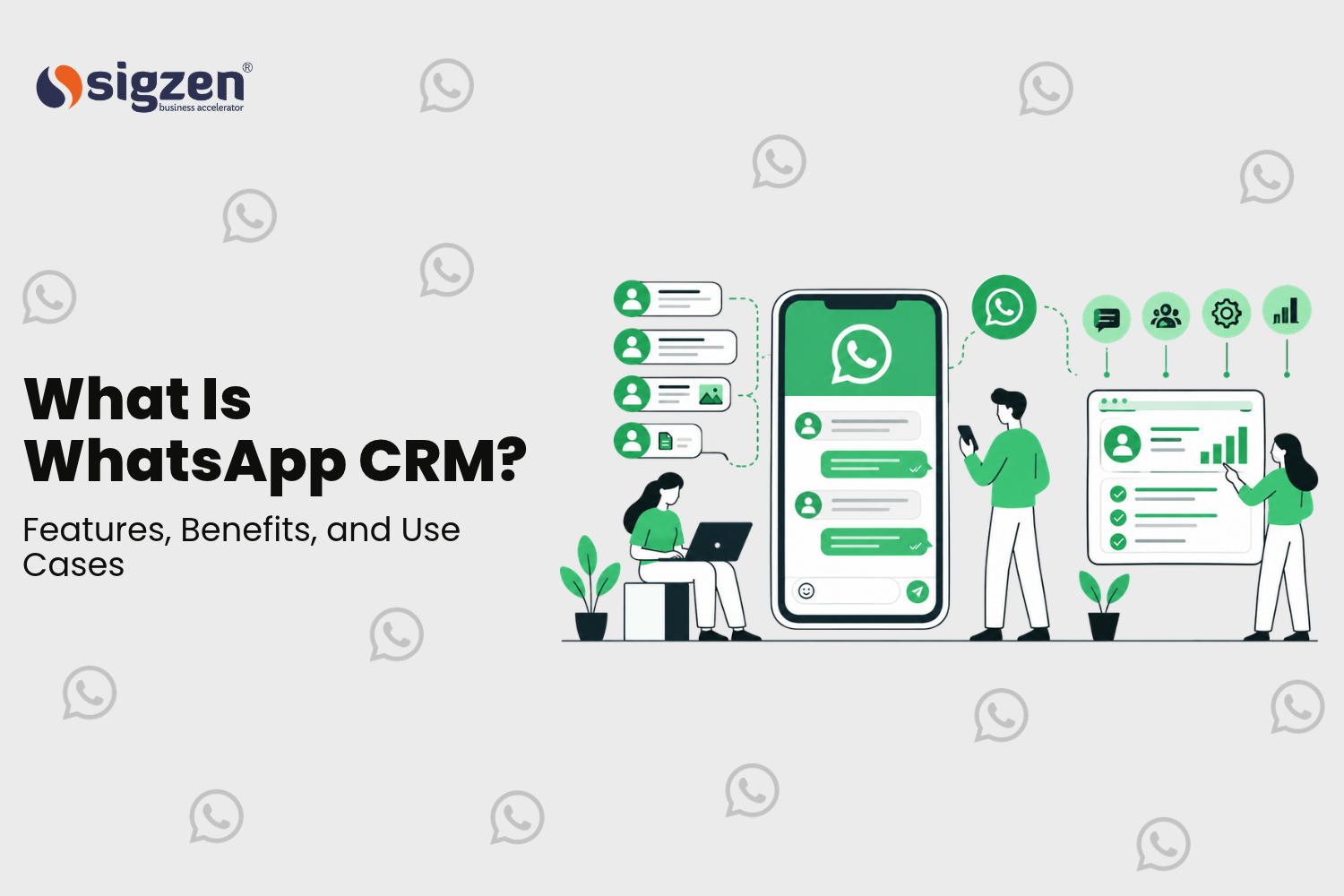
A WhatsApp CRM is software that links your business WhatsApp chats to customer records. It puts every conversation in a shared team inbox and ties it to the right lead or customer. It also adds assignment, message templates, automation, and reporting, so your team manages the relationship, not just the chat.
Think of the difference between a phone and a system. On a phone, a chat is just a chat. In a WhatsApp CRM, that chat sits next to the customer's details, past orders, and the name of the person handling them.
To see how that works, it helps to know the two kinds of WhatsApp for business.
WhatsApp Business App vs WhatsApp Business Platform
Meta offers two ways for companies to use WhatsApp, and they work very differently:
- WhatsApp Business App: A free app for small businesses. It adds a business profile, a product catalog, labels, quick replies, and away messages. It runs on a phone and a few linked devices, with no link to your other software.
- WhatsApp Business Platform: Meta's API for growing businesses. There's no app to install. Software connects to it, so many agents can work from one number and your systems can send messages on their own.
A true WhatsApp CRM runs on the Business Platform. The app works for a solo shop, but it can't route chats, sync records, or send an invoice when your ERP creates one.
The Platform also comes with rules. Since July 1, 2025, Meta charges per delivered template message, while normal replies inside a 24-hour customer service window cost nothing. There's a full section on costs and rules further down.
Shared inbox vs WhatsApp CRM
Many tools sell a shared inbox and call it a CRM. They're not the same thing.
A shared inbox lets several people answer chats from one number. That's useful, but it only organizes conversations.
A WhatsApp CRM goes further. It ties each chat to a lead, customer, or deal record, tracks who owns it and what stage it's at, and triggers the next step, like a follow-up or a quote.
Here's a simple test. If a customer asks "Where's my order?" and your agent has to open another app to find out, you have an inbox, not a CRM.
So how does a WhatsApp CRM connect to the rest of your business? That depends on where it's set up.
How WhatsApp CRM works
Every WhatsApp CRM follows the same basic flow, no matter which tool you pick:
- A customer messages your business number. The message might come from an ad, a website button, a QR code, or a reply to something you sent.
2) Meta passes the message to your CRM. The WhatsApp Business Platform delivers it to the connected software within seconds.
- The CRM finds the customer. It matches the phone number to an existing contact, or creates a new lead if the number is new.
4) A bot or a person replies. Simple questions get an automatic answer. Everything else is assigned to the right team member.
- The record gets updated. The chat, plus any change like a new stage or a follow-up date, is saved against the customer.
The flow stays the same everywhere. What changes is where the customer record lives, and that depends on your setup.
Three ways to set up a WhatsApp CRM
Most businesses use one of three setups:
- A WhatsApp-first tool: A standalone platform from a messaging vendor, with its own inbox, contacts, and bots. It's fast to start, but your customer data lives in a separate system.
- A WhatsApp add-on for your CRM: This connects WhatsApp to a CRM you already use, such as HubSpot, Zoho, or Salesforce. Chats show up inside the CRM, but orders and invoices usually still live in your ERP.
- WhatsApp inside your ERP: This connects WhatsApp directly to the system that holds your customers, quotes, orders, and invoices. Chats, CRM records, and transactions all sit in one place.
Some businesses mix these. A common example is a WhatsApp-first tool for marketing broadcasts, with new leads synced into the main CRM.
Separate inbox vs a WhatsApp CRM inside your ERP
For businesses that sell to other businesses, this choice matters most. Customers rarely ask about the chat itself. They ask about quotes, dispatch dates, invoices, and payments, and all of that lives in the ERP.
With a separate tool, your data sits in two places. A sync connects them, but syncs can break, lag, or cover only some fields. Agents end up switching apps to answer one question.
Here's how the two setups compare day to day:
- Answering "Where's my order?": With a separate tool, the agent checks the ERP in another tab. Inside the ERP, the order sits right next to the chat.
- Automatic updates: A separate tool needs an integration to know when an invoice is created. Inside the ERP, the message goes out when the document is submitted.
- Customer records: A separate tool means two contact lists to keep matched. Inside the ERP, there's one customer record.
- Access control: With a separate tool, you set permissions twice. Inside the ERP, chats follow the same roles your team already has.
A separate tool can still be the better pick. If you're a consumer brand on Shopify with no ERP, or you mostly send marketing broadcasts, a WhatsApp-first platform is quicker to set up.
Whichever setup you choose, the core features to look for are much the same.
Key features of WhatsApp CRM
Feature lists vary from tool to tool, but these seven do most of the work. For each one, here's what to look for and how it changes when WhatsApp runs inside your ERP.
Shared team inbox and chat assignment
All chats to your business number land in one inbox, and several people can answer at once. Chats can be assigned by hand or by rules, such as sending price questions to sales and complaints to support.
Look for clear ownership. Every chat should have one person responsible, so nothing sits unanswered.
Inside an ERP: Assignment can follow the account owner already set on the customer, so the right salesperson gets the chat.
Chat history on the customer record
Every message is saved against the lead or customer, so anyone can pick up where a colleague left off. New staff see the full history from day one.
Inside an ERP: The chat also shows on the sales order, so the conversation and the deal live together.
Message templates and automatic notifications
To start a chat outside the 24-hour window, a business must use a template Meta has approved. Templates come in three types: marketing, utility (such as order updates), and authentication (such as one-time passwords).
A good WhatsApp CRM fills templates with live data, like the customer's name and order number, and sends them on a trigger.
Inside an ERP: Triggers come from real documents. A submitted delivery note sends a dispatch update, and an overdue invoice sends a payment reminder.
Lead capture from ads, forms, and QR codes
New enquiries should become leads without anyone typing them in. Common sources are Click-to-WhatsApp ads on Facebook and Instagram, website chat buttons, and QR codes on brochures or site boards.
WhatsApp Flows, Meta's built-in forms, can collect details like name, city, and budget inside the chat. The answers then fill the lead record directly.
Chatbots with human handoff
A chatbot answers routine questions at any hour, such as business hours, price lists, or order status. Newer bots use AI to understand free-typed questions, not just set keywords.
The handoff matters more than the bot. When a question needs a person, the chat should pass to an agent with the full history, so the customer never has to repeat themselves.
Campaigns and broadcasts
Campaigns let you message a filtered list, such as customers who haven't ordered in 90 days or leads from one city. Each message uses an approved marketing template and is charged per delivery.
Two rules apply. Customers must have opted in to hear from you. Meta also limits how many new people a number can message each day, and raises that limit as message quality stays high.
Sending too much is the fastest way to get reported or blocked, so segment your list before you send.
Roles, permissions, and reporting
Not everyone should see every chat. Roles control who can view, reply, or run campaigns, and they keep sensitive customer talks within the right team.
Reports should show response times, open chats per agent, and campaign delivery and read rates. Those numbers tell you if WhatsApp is actually helping sales and support.
Features are only half the story. Here's what they add up to for the business.
WhatsApp CRM use cases
A WhatsApp CRM pays off most where customers already message you about something specific. These seven use cases cover the most common ones.
Sales: capturing and following up leads
An enquiry from an ad or your website lands as a new lead, with its source tagged. The salesperson sends a quote PDF on WhatsApp, and the CRM reminds them to follow up if the customer goes quiet.
Every step, from first message to closed deal, stays on one record. This guide to ERPNext CRM services shows how leads move to deals inside ERPNext.
Order confirmations and dispatch updates
When a sales order is confirmed, the customer gets a WhatsApp message with the order number and expected date. When the delivery note is submitted, a second message shares the dispatch details.
For manufacturers and distributors, this cuts down the daily "Where's my material?" calls. It works best when orders and dispatch run in one system, like an ERP for manufacturing businesses.
Payment reminders and collections
An invoice that passes its due date can trigger a polite reminder with the amount, due date, and a payment link. A second reminder can follow after a set number of days.
Because the reminder comes from the invoice itself, it stops as soon as the payment is recorded. No one gets chased for a bill they've already paid.
After-sales service and AMC
Customers can report a problem on WhatsApp, share photos, and get a ticket number back. When an annual maintenance contract (AMC) is close to renewal, the system sends a notice.
Service teams see the product, warranty, and past visits right next to the chat.
Real estate: site visits and payment schedules
Property enquiries from portals and ads become leads, and a bot can book a site visit and send the location pin. After booking, buyers get updates on construction stages and payment due dates.
Sigzen's real estate ERP, SigzenESTATE, includes WhatsApp updates to clients as part of its CRM tools.
Travel: bookings and trip updates
Travelers expect their tickets, vouchers, and itinerary on WhatsApp. A travel business can send a confirmation when a booking is made and a reminder before departure.
Changes and cancellations land in one place too, so any agent can help a traveler mid-trip. SigzenTRAVEL is Sigzen's ERP for travel agencies.
Jewelry retail: orders and festive campaigns
Jewelers can tell customers when a custom order is ready for pickup and share new designs as photos in the chat. Festive and wedding-season campaigns go only to customers who have opted in, filtered by past purchases.
SigzenJEWEL, Sigzen's ERP for jewelry businesses, keeps those purchase records in the same system.
Before you roll any of this out, it helps to know what WhatsApp charges and which rules apply.
WhatsApp CRM costs and rules to know
Most WhatsApp CRM guides skip this part. The software is only one piece of the cost, and breaking Meta's rules can get your number restricted.
What you actually pay for
Running a WhatsApp CRM has three cost layers:
- Meta's message charges: Fees for certain messages you send, set by Meta and billed per message.
- The software: The WhatsApp CRM itself, usually priced per user, per month, or as a one-time setup for an add-on.
- Setup work: Creating templates, connecting triggers to your ERP or CRM, and training your team.
When you compare tools, ask for all three. A low monthly fee can hide a markup on every message.
How Sigzen WhatsApp CRM handles this: It connects your own WhatsApp Business Account to Meta's official Cloud API, so Meta bills message charges to your account at Meta's rates. Since it runs inside ERPNext, there's no separate chat platform to pay for on top of your ERP.
How Meta's per-message pricing works
Since July 2025, Meta charges per message, not per conversation. Here's how each type is billed:
- Marketing templates (offers, campaigns): charged for every delivered message.
- Utility templates (order and payment updates): charged only when sent outside the customer service window.
- Authentication templates (one-time passwords): charged for every delivered message.
- Normal replies inside the customer service window: free.
Rates depend on the message type and the recipient's country code. Meta charges only for delivered messages and can change rates on the first day of each quarter.
How Sigzen WhatsApp CRM handles this: Template notifications are set up inside ERPNext, so each order or payment update can be tied to the right utility template. ⚠ Every message sent is logged against the document, which makes monthly usage easy to check.
The 24-hour customer service window
When a customer messages you, a 24-hour window opens, and it resets each time they write again. Inside that window, you can reply freely with text, photos, or documents.
Once the window closes, you can only restart the chat with an approved template, and that message may be charged. That's another reason fast replies matter: answering inside the window costs nothing.
How Sigzen WhatsApp CRM handles this: The shared inbox and the chat panel on Leads, Customers, and Sales Orders help your team reply while the window is still open. The AI chatbot can answer routine questions right away and hand off to an agent when needed.
Opt-in and template approval
You need a customer's permission before you message them on WhatsApp. Collect it clearly, such as with a checkbox on a form, and record when and where you got it.
Every template also needs Meta's approval before use. Meta checks the category too, so a sales offer sent as a "utility" update can be moved to marketing and charged at that rate.
How Sigzen WhatsApp CRM handles this: WhatsApp Forms can create Leads in ERPNext directly from the chat. The customer's opt-in is stored on the same record, so you always know who agreed to hear from you.
Quality rating and messaging limits
Meta tracks how customers react to your messages. If many people block or report you, your quality rating drops, and Meta can lower your sending limits or pause templates.
The fix is simple. Send fewer, more useful messages to people who asked for them.
How Sigzen WhatsApp CRM handles this: Campaigns and bulk messages run from ERPNext. That means you can filter by real business data, such as customer group or last order date, instead of blasting your whole contact list.
Why unofficial WhatsApp tools are risky
Some tools skip the official API and connect by scanning a QR code with your phone, often with no per-message fees. That saving comes with real risk.
WhatsApp's terms don't allow unofficial automation, and numbers caught using it can be banned without warning. If that's the number on your invoices and site boards, losing it hurts.
How Sigzen WhatsApp CRM handles this: It's built on Meta's official WhatsApp Cloud API, so your business number stays within WhatsApp's rules.
Next, here's the full picture of how Sigzen WhatsApp CRM works inside ERPNext.
WhatsApp CRM inside ERPNext: how Sigzen WhatsApp CRM works
Sigzen WhatsApp CRM is an ERPNext add-on built on Meta's official WhatsApp Cloud API. It runs inside ERPNext itself, so it isn't a separate inbox that syncs with your ERP.
It comes in two parts. Sigzen WhatsApp covers chat, notifications, and campaigns, while Sigzen WhatsApp Chatbot handles automated replies. ⚠ You can start with the first and add the chatbot later.
Chat inside ERPNext documents
All chats to your business number land in a shared inbox inside ERPNext. The same chats also show in a chat panel on Leads, Customers, and Sales Orders.
A salesperson can open a sales order, read the customer's latest message, and reply from the same screen. There's no second app and no copying order numbers between tabs.
Notifications from ERPNext events
ERPNext sends approved template messages when business events happen. ⚠ Common examples are a confirmed sales order, a submitted delivery note, or an invoice that passes its due date.
Each message pulls live data from the document, such as the customer name, order number, and amount. Your team doesn't type or send any of it by hand.
Campaigns and bulk messaging
Campaigns and bulk messages run from ERPNext, using the customer and lead records you already keep. Each campaign uses an approved marketing template.
Since the contact list lives in ERPNext, there's no exporting and importing customer lists between tools.
WhatsApp Forms that create ERPNext records
WhatsApp Forms collect details inside the chat, such as name, city, product interest, or budget. The answers create a Lead in ERPNext automatically.
That means an enquiry from an ad or QR code reaches your sales pipeline with no manual data entry.
Chatbot with keywords, flows, and AI
The chatbot works at three levels. Keyword replies answer set questions, guided flows walk customers through menus, and AI handles free-typed questions.
When a question needs a person, the bot hands the chat to an agent. The agent sees the full conversation, so the customer never has to repeat themselves.
Roles and permissions
Access is controlled with roles and permissions. You decide who can see chats, reply, or run campaigns, so sales, support, and accounts each see what they need.
Where Sigzen WhatsApp CRM fits
Sigzen WhatsApp CRM is a strong fit if most of these apply:
- You already run ERPNext, or you're moving to it.
- Customers message you about quotes, orders, dispatch, or payments.
- Sales, support, and accounts need to share one business number.
- You want WhatsApp records and ERP records in one place.
It's not the right fit if you don't use ERPNext. It's also a poor fit if you only need marketing broadcasts for an online store, where a WhatsApp-first marketing tool will be quicker.
How setup works
Getting live usually takes these steps:
- Set up Meta Business: Create or verify your Meta Business account. This is Meta's requirement for the official API.
2) Register your number: Connect a business phone number to the WhatsApp Cloud API.
- Install the add-on: Add Sigzen WhatsApp CRM to your ERPNext site and connect it to your WhatsApp account.
4) Create templates: Write your message templates and submit them to Meta for approval.
- Set the rules: Configure notification triggers, roles, and the chatbot, if you're using it.
6) Train your team: Make sure everyone moves customer chats off personal phones.
To SumUp
A WhatsApp CRM turns scattered chats on personal phones into shared customer records your whole team can use. The right setup depends on where your customer data already lives.
Here's what matters most:
- Use the official platform. A WhatsApp CRM should run on Meta's WhatsApp Business Platform, not an unofficial QR-scan tool.
- Link chats to real records. A shared inbox organizes chats, but a CRM ties them to leads, customers, and deals.
- Plan for message costs. Marketing messages are charged per delivery, while normal replies inside the 24-hour window are free.
- Keep chats close to orders. For B2B businesses, the biggest gain comes when chats sit next to quotes, orders, and invoices.
If your business runs on ERPNext, you don't need a separate chat tool to get there. See how Sigzen WhatsApp CRM works inside ERPNext, from the shared inbox to automatic order and payment updates.
Want to see it with your own workflows? Talk to Sigzen's ERPNext team about a demo.
Frequently asked questions
What is a WhatsApp CRM?
A WhatsApp CRM is software that links your business WhatsApp chats to customer records. It gives your team a shared inbox, assigns chats, sends approved template messages, and saves every conversation against the right lead or customer. It runs on Meta's WhatsApp Business Platform, not the free app.
What is the difference between WhatsApp Business API and WhatsApp CRM?
The WhatsApp Business API, now called the WhatsApp Business Platform, is Meta's connection that lets software send and receive WhatsApp messages. It has no screen of its own. A WhatsApp CRM is the software built on top of it, adding the inbox, customer records, automation, and reports your team actually uses.
Can I use the free WhatsApp Business app as a CRM?
The free WhatsApp Business app works for a very small business, with labels, quick replies, and a catalog. But it can't assign chats to agents, link messages to customer records, or send automatic updates from your ERP. Once more than a few people handle customer chats, you'll need the Business Platform and a real CRM.
How much does a WhatsApp CRM cost?
The cost has three parts: Meta's per-message charges, the software fee, and setup work. Since July 2025, Meta charges per delivered marketing and authentication message. Utility messages are charged only when sent outside the 24-hour customer service window, normal replies inside that window are free, and rates vary by country and message type.
Can WhatsApp be integrated with ERPNext?
Yes. Several apps connect ERPNext to WhatsApp, from simple notification senders to full CRM add-ons. Sigzen WhatsApp CRM runs inside ERPNext on Meta's official Cloud API. It includes a shared inbox, chat on Leads, Customers, and Sales Orders, automatic notifications, campaigns, WhatsApp Forms, and a chatbot.
Can I send bulk messages on WhatsApp?
Yes, through the WhatsApp Business Platform. You must use approved marketing templates and send only to customers who opted in, and each delivered marketing message is charged. Messaging people who didn't ask can lead to blocks and reports, which lowers your quality rating and your sending limits.
Which industries benefit most from WhatsApp CRM?
Businesses where customers ask about specific orders, bookings, or payments see the most value. Common examples are manufacturing and distribution, real estate, travel, jewelry retail, and service companies with AMCs. In real estate, for example, WhatsApp handles site visit bookings and payment reminders, as covered in this look at ERPNext for real estate.
Does Sigzen WhatsApp CRM work without ERPNext?
No. Sigzen WhatsApp CRM is an ERPNext add-on, so it needs an ERPNext site to run.
Reader rating
How useful was this article? Tap a star to rate.