
For
Individuals
One person, one phone, every card saved as a lead.
- Scan cards from meetings and visits
- Follow up by WhatsApp, call or email
Visiting Card Scanner App That Sends Leads to ERPNext
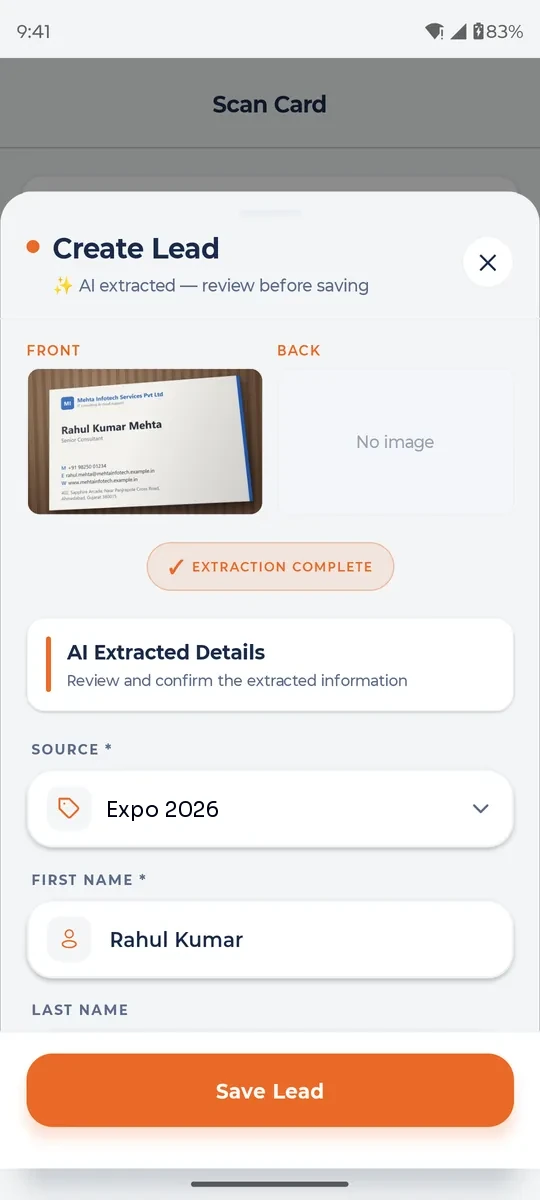
SigzenLEAD is a visiting card scanner app from Sigzen Technologies that turns business cards into sales leads in seconds. Scan the front and back of a card, check what the AI has read, and save it. The lead goes onto one list your whole team shares, works even with no signal at an expo, and can be created in your ERPNext as a Lead, Contact and Address without anyone typing it in.
Animation in three steps: a visiting card is scanned, the SigzenLEAD app fills in the lead details and saves the lead, and the SigzenLEAD Connector creates it in ERPNext as a Lead, Contact and Address.
The Problem
Most teams come back from an expo with a bag of cards and no time to use them. These are the gaps SigzenLEAD closes.
Every event ends with a stack of cards in a bag or a drawer.
Each card is entered by hand, one at a time, often days later.
By the time the details are typed in, the visitor has already moved on.
Web forms and online apps stop working when the expo signal drops.
A week later, no one remembers which expo or meeting a card came from.
Contacts saved by one rep are never seen by the rest of the sales team.
The Flow
Every way of capturing a contact ends in the same place: a clean lead your team can act on.
Four ways to bring a contact in.
You check the details before you save.
The saved lead is ready straight away.
See The App
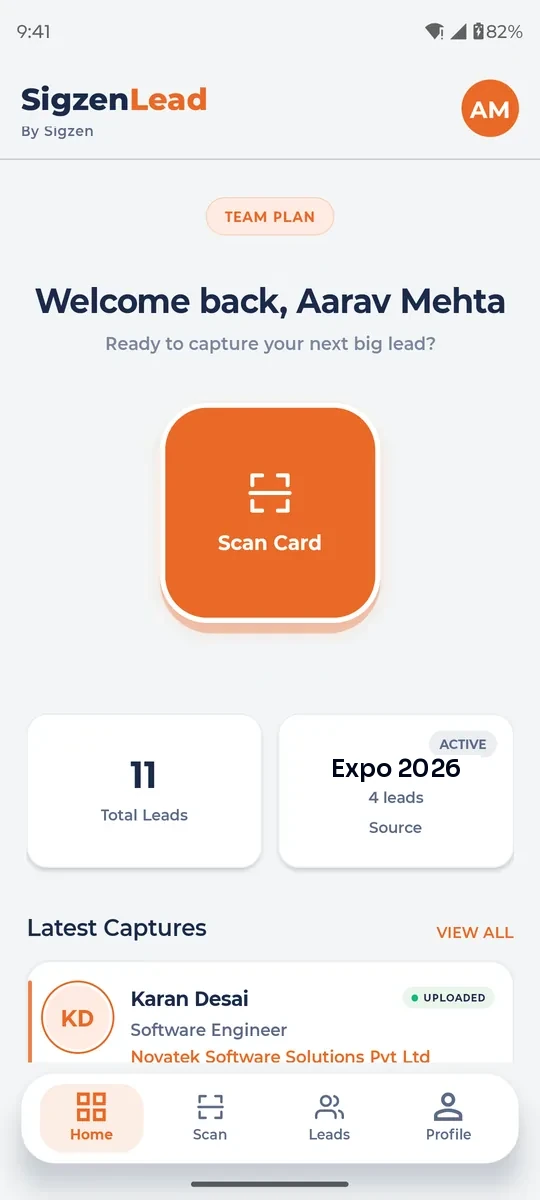
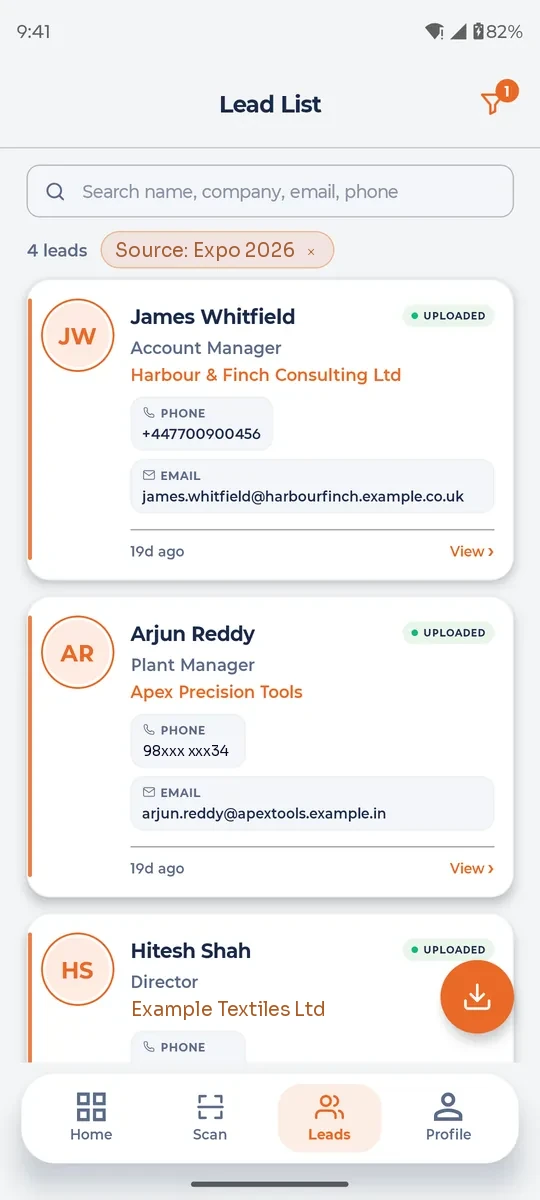
Four screens cover the whole job, from the scan to the first follow-up.
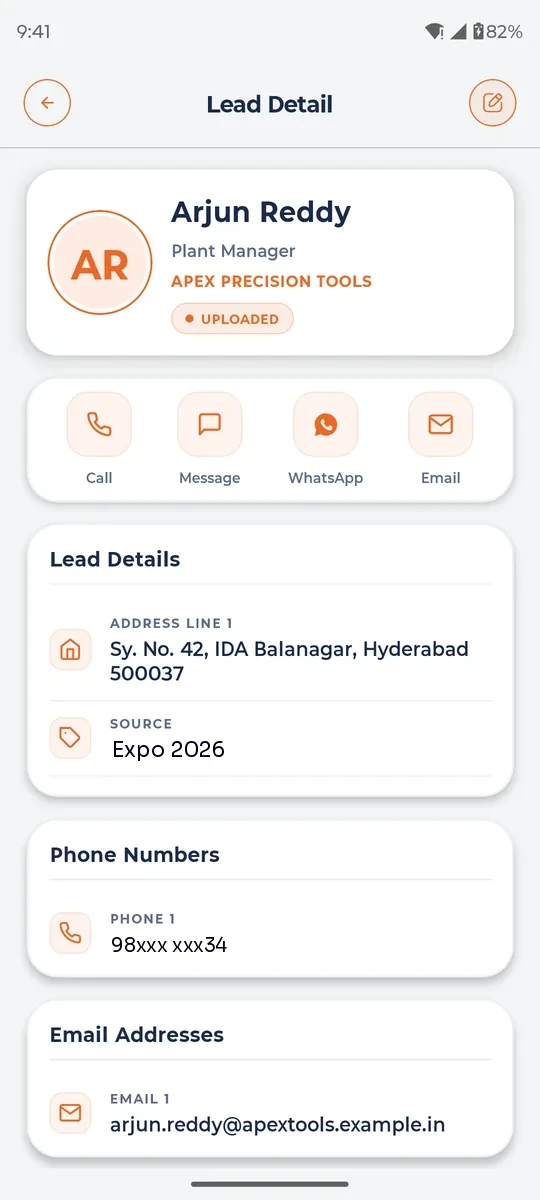
Features
Watch the main features at work. Every card links to the full details on sigzenlead.com.
Reads the front and back of a card and fills in the lead for you to check.
Learn more about AI card scan on sigzenlead.com ↗No signal? Scans wait in Pending Sync and upload once you are online.
Learn more about Offline capture on sigzenlead.com ↗Every rep scans on their own phone. Every lead lands on one list.
Learn more about Shared team lead list on sigzenlead.com ↗WhatsApp, email and SMS messages with the contact's name filled in.
Learn more about Follow-up templates on sigzenlead.com ↗Tag every card with its expo, visit or referral, even offline.
Learn more about Source tags on sigzenlead.com ↗Call, message, WhatsApp or email straight from the lead.
Learn more about One-tap actions on sigzenlead.com ↗Download your leads as an Excel file to share.
Learn more about Excel export on sigzenlead.com ↗Each saved lead becomes a Lead, Contact and Address in your ERPNext.
Learn more about ERPNext connector on sigzenlead.com ↗Invite members by mobile number and email. They sign in with a code, no password.
Learn more about Team invites on sigzenlead.com ↗Before And After
The same expo, two very different weeks.
At the stall
The usual way
Cards go into a pocket
With SigzenLEAD
Each card is scanned while the visitor is still there
That evening
The usual way
A pile of cards waits to be typed
With SigzenLEAD
Leads are already on the team list and the first follow-up is sent
Days later
The usual way
Someone is still typing cards in
With SigzenLEAD
Reps are calling visitors, and leads are already in ERPNext
Two weeks on
The usual way
Many visitors never hear back
With SigzenLEAD
You know which expo every lead came from
ERPNext Connector
SigzenLEAD comes from Sigzen, a certified ERPNext and Frappe partner, so the connector is built the way an ERPNext team expects. Install the SigzenLEAD Connector app on your ERPNext site, connect it once, and every saved card is created for you.
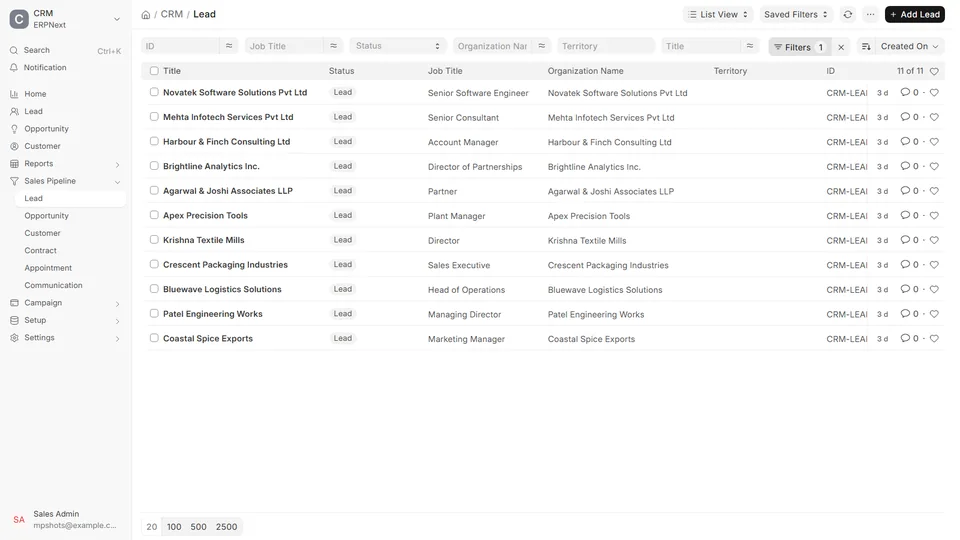
One scan, three ERPNext records.
A one-time job for the manager.
The connector only receives leads. It changes nothing else.
Works with Frappe 16 and ERPNext 16. Not on ERPNext? Scanning, the team list, follow-up and Excel export all work without it.
Who It's For
One person with one phone, a whole sales team, or a stall crew at a busy expo.
For
One person, one phone, every card saved as a lead.
For
From 3 users, the whole team works from one shared lead list.
For
Capture every visitor at your stall, even with no signal in the hall.
Security And Privacy
A visiting card is someone's personal data. SigzenLEAD treats it that way.
Photos are stored as private files with their lead. Only signed-in members of your business can open them.
The app asks before sending card photos to Google Gemini for reading. You can choose on-device reading instead.
Every lead belongs to one business. Users of another business cannot list or open it.
Getting Started
Three steps, and no password to set up.
Sign up on sigzenlead.com with a mobile number from any country and a work email. You confirm with a code sent by email.
The mobile app is coming soon to Google Play and the App Store. Once it is listed, download it from sigzenlead.com and sign in with the same email.
Scan your first card, then call, message, export or push it to ERPNext.
FAQ
SigzenLEAD is built by Sigzen Technologies Pvt. Ltd., a certified ERPNext and Frappe partner founded in Ahmedabad, India, in 2015.
No. Scanning, the shared lead list, follow-up and Excel export all work without ERPNext. The ERPNext connector is for businesses that want leads created in ERPNext automatically.
The SigzenLEAD Connector works with Frappe 16 and ERPNext 16. It creates a Lead, Contact and Address for each scanned card.
There is no connector for other CRMs today. You can export your leads to Excel and import them into any CRM.
Start free on sigzenlead.com, or book a demo with our team and see scanned cards turn into leads in your ERPNext.