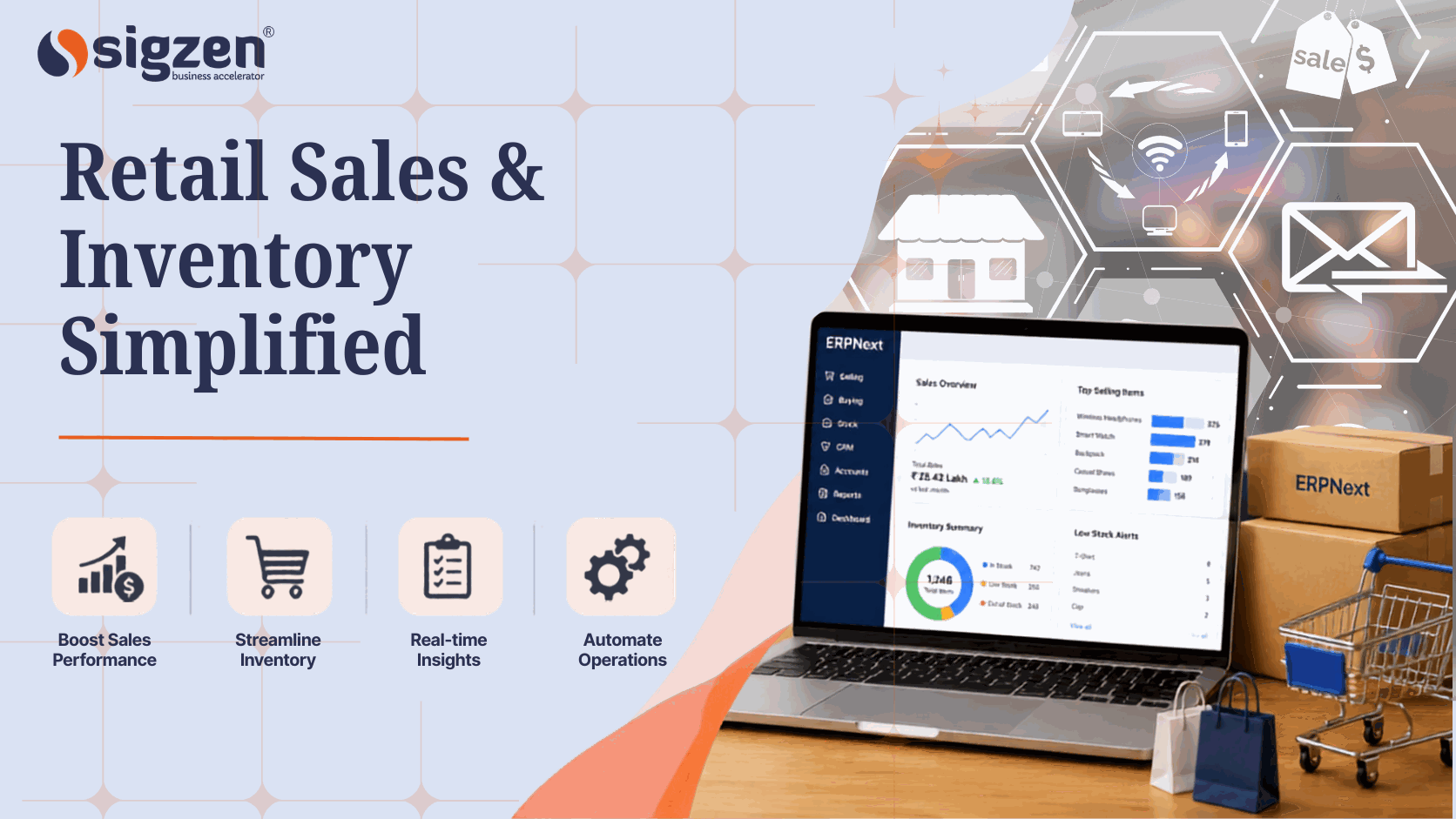
Managing sales and inventory can become challenging as a retail business grows. Manual tracking often leads to stock issues and inefficient processes. ERPNext for retail business helps retailers manage sales, inventory, purchasing, and reporting from one system, making daily operations simpler and more organized.
Introduction: Why Retail Businesses Are Moving Toward Unified ERP Solutions
Retail businesses today face many challenges, from managing daily sales and tracking stock levels to meeting customer expectations. Using different systems for different tasks can lead to errors, delays, and a lack of visibility across operations. This is why many businesses are turning to ERPNext retail as a complete solution for managing their operations.
As a powerful retail ERP software, ERPNext helps businesses streamline retail sales management, improve inventory management, and strengthen customer relationship management from a platform.
With features such as ERPNext POS, retail inventory tracking, stock management system, and retail CRM software, businesses can gain better control over their processes and make informed decisions. Whether you operate a single store or multiple locations, ERPNext supports multi-store inventory management, retail order management, and retail business automation, helping retailers improve efficiency, reduce operational costs, and deliver a better customer experience.
Why Retail Businesses Need an Integrated Management System
Retail businesses handle many daily tasks, including sales, inventory management, purchasing, customer records, and accounting. When these activities are managed through different software or spreadsheets, it becomes difficult to keep information updated and organized. This can lead to stock errors, delayed decisions, and extra manual work.
An integrated management system helps bring all important business functions into one place. Retailers can track sales, monitor inventory levels, manage purchases, and view business reports from a single platform. This makes it easier to access accurate information and maintain smooth day-to-day operations.
As a business grows, managing multiple stores, products, suppliers, and customers becomes more challenging. A centralized system helps improve retail store management, inventory control, purchasing management, and sales tracking while reducing repetitive tasks. With better visibility into business activities, retailers can make informed decisions, maintain stock availability, and improve overall operational efficiency.
What are the Common Challenges Faced by Retail Businesses
Studies show that businesses using integrated inventory management systems can reduce inventory carrying costs by 10% to 30% while improving stock accuracy and visibility. This highlights the importance of having a centralized platform to manage sales and inventory efficiently.
Managing Sales Across Multiple Channels
Retailers often sell through physical stores, websites, and online marketplaces. Managing sales from different channels can become difficult without a connected system for retail sales management.
Inventory Tracking and Stock Control Issues
Keeping accurate stock records is important for avoiding shortages and excess inventory. Poor inventory management can affect product availability and overall business performance.
Delivering a Consistent Customer Experience
Customers expect smooth service across every sales channel. Effective customer management helps businesses maintain better communication and improve customer satisfaction.
Managing Supplier and Purchase Processes
Retail businesses depend on timely purchasing and supplier coordination. Delays in managing orders can impact stock availability and daily operations.
Lack of Real-Time Business Visibility
Without clear reports and updated information, it becomes harder to monitor sales, inventory, and business performance. Access to accurate data supports better decision-making.
Handling Operations Across Multiple Locations
Managing products and inventory across multiple stores can be challenging. A centralized system helps retailers maintain better control and consistency across locations.
These challenges highlight why many retailers are moving toward integrated business systems. By bringing sales, inventory, customer information, and reporting together, businesses can simplify operations and improve overall efficiency.
How Retail Businesses Can Improve Sales Management with ERPNext
Managing sales efficiently is essential for retail success. ERPNext helps businesses organize sales activities, reduce manual work, and gain better visibility into their performance through a single platform.
Many sales-related issues can be addressed with the right system. Let's look at how ERPNext supports retail sales management.
Point of Sale (POS) Management
ERPNext provides an integrated ERPNext POS system that helps retailers process transactions quickly and accurately. Sales data is automatically recorded, reducing manual entry and improving billing efficiency.
Sales Order Management
Retailers can create, track, and manage orders from one place. This improves retail order management by ensuring orders are processed accurately and delivered on time.
Real-Time Sales Tracking
ERPNext gives businesses access to up-to-date sales information across stores and channels. This helps improve sales performance reporting and supports faster business decisions.
Customer Purchase History
The system stores customer transaction records in one location. This makes customer data management easier and helps retailers understand buying patterns and preferences.
Multi-Store Sales Monitoring
Businesses operating multiple outlets can monitor sales performance from a centralized dashboard. This improves visibility and supports better retail operations management across locations.
Automated Invoicing and Billing
ERPNext automatically generates invoices and updates financial records after each sale. This reduces paperwork and helps maintain accurate sales documentation.
By providing better control over sales processes, ERPNext helps retailers improve efficiency, reduce errors, and deliver a smoother purchasing experience for customers.
Managing Retail Inventory More Effectively with ERPNext
Effective inventory management helps retailers maintain the right stock levels, reduce losses, and meet customer demand. ERPNext provides tools that improve inventory visibility and control across the business.
Real-Time Stock Visibility
- ERPNext provides real-time updates on product availability across stores and warehouses.
- This helps improve inventory management and prevents stock-related issues.
Automated Stock Replenishment
- The system helps retailers identify low-stock items and plan timely restocking.
- This supports better inventory optimization and reduces stock shortages.
Warehouse and Store Inventory Management
- ERPNext allows businesses to manage inventory across multiple locations from one platform.
- This improves multi-store inventory management and stock accuracy.
Batch and Serial Number Tracking
- Retailers can track products using batch numbers or serial numbers throughout their lifecycle.
- This helps maintain accurate stock management system records and product traceability.
Inventory Transfers Between Locations
- Products can be transferred between stores and warehouses with proper tracking.
- This improves inventory control and supports efficient stock distribution.
Inventory Reporting and Analysis
- ERPNext provides detailed reports on stock movement, inventory value, and product performance.
- These insights support better retail analytics and reporting for inventory decisions.
By centralizing inventory data and automating routine tasks, ERPNext helps retailers maintain accurate stock levels and improve operational efficiency.
What Role Does ERPNext Play in Improving Customer Satisfaction?
Customer satisfaction is a key factor in the success of any retail business. By providing better access to customer information and improving service quality, ERPNext helps businesses create a more positive shopping experience.
- Customer Relationship Management (CRM)
- Faster Order Processing
- Customer Purchase History
- Loyalty Program Management
- Improved Product Availability
- Better Communication with Customers
By improving service quality, streamlining customer interactions, and ensuring better product availability, ERPNext helps retail businesses create a smoother and more satisfying customer experience.
Key ERPNext Features for Retail Businesses
ERPNext offers a wide range of features that help retailers manage daily operations more efficiently. These tools bring sales, inventory, purchasing, finance, and customer management together in one platform.
Point of Sale (POS)
ERPNext POS helps retailers complete sales quickly and keep billing records organized. It also makes it easier to manage transactions across different sales counters.
Inventory Management
Retailers can track stock availability and product movement from one place. This helps maintain better stock management and reduces inventory-related issues.
Customer Relationship Management (CRM)
Customer details and purchase history can be stored in a single system. This supports better customer service and helps build stronger customer relationships.
Purchasing and Supplier Management
ERPNext simplifies purchase orders and supplier records. This helps businesses maintain smoother procurement management and product replenishment.
Accounting and Financial Management
Sales, payments, and expenses can be managed on one platform. This gives retailers better control over financial management and daily accounting tasks.
Reporting and Analytics
Business reports provide a clear view of sales, inventory, and operations. This helps retailers monitor performance and support business reporting needs.
Multi-Store Management
Retailers can manage products and operations across multiple store locations. This improves coordination and supports efficient store management.
Warehouse Management
ERPNext helps organize inventory across warehouses and storage locations. This supports better warehouse operations and stock movement control.
These features help retailers streamline operations, reduce manual work, and improve business visibility. By managing key processes through a single platform, businesses can operate more efficiently and support long-term growth.
How ERPNext Supports Core Retail Business Functions
Retail businesses handle several important activities every day, from sales and inventory tracking to purchasing and accounting. ERPNext brings these operations together in one system, making it easier to manage daily tasks and maintain better control across the business.|
Retail Operation |
ERPNext Feature |
|
Sales Management |
Point of Sale (POS) |
|
Inventory Control |
Inventory Management |
|
Customer Management |
CRM |
|
Purchasing |
Purchase Management |
| Accounting |
Financial Management |
| Reporting |
Analytics and Reports |
|
Multi-Store Operations |
Multi-Store Management |
|
Warehouse Control |
Warehouse Management |
How to Successfully Implement ERPNext for Retail Business
A successful ERPNext implementation requires proper planning and preparation. By following a structured approach, retail businesses can reduce disruptions, improve user adoption, and get the most value from their investment.Now that we've explored how ERPNext supports retail operations, let's look at the key steps involved in implementing ERPNext successfully.
Step 1: Assess Your Retail Business Requirements
Start by identifying the challenges you want to solve and the processes you want to improve. Understanding your needs helps create a clear plan for retail business management and system configuration.
Step 2: Review Existing Sales and Inventory Processes
Analyze how your team currently handles sales, stock tracking, purchasing, and customer records. This helps ensure the new system supports your retail sales management and inventory management goals.
Step 3: Prepare and Organize Business Data
Clean and organize customer records, product details, supplier information, and inventory data before migration. Accurate data supports better customer data management and smoother system performance.
Step 4: Configure ERPNext Based on Business Needs
Set up modules, workflows, user roles, and permissions according to your retail operations. Proper configuration helps improve retail workflow management and daily efficiency.
Step 5: Train Employees on the New System
Provide practical training so employees understand how to use the system effectively. Good training encourages adoption and helps teams work more confidently with ERPNext POS and other modules.
Step 6: Test Key Business Processes
Before going live, test sales transactions, inventory updates, reports, and purchasing activities. Testing helps identify issues early and improves the reliability of your retail operations management processes.
Step 7: Go Live and Monitor Performance
Launch the system and closely monitor operations during the initial weeks. Regular monitoring helps ensure smooth multi-store inventory management and business continuity.
Step 8: Continuously Improve and Optimize
Review reports, gather employee feedback, and make improvements when needed. Ongoing optimization helps businesses get better results from their retail analytics and reporting capabilities.
Following these implementation steps can help retailers achieve a smoother transition to ERPNext. With proper planning, training, and continuous improvement, businesses can streamline operations, improve efficiency, and support long-term growth.
Why Retail Businesses Are Choosing ERPNext
Retail businesses need a system that can support their daily operations without adding unnecessary complexity. ERPNext helps bring important functions such as retail sales management, inventory management, customer relationship management, purchasing, and accounting into one platform. This makes it easier for teams to access information, reduce manual work, and maintain better control over business processes.
Another reason businesses choose ERPNext is its flexibility and ability to support growth. Whether managing a single store or expanding to multiple locations, retailers can use features such as multi-store inventory management, retail analytics and reporting, and customer data management to make informed decisions and improve operational efficiency.
For retailers considering a more connected approach to managing sales, inventory, and customer operations, understanding how ERPNext aligns with existing business processes is an important first step. Working with experienced ERPNext implementation partners such as Sigzen Technologies can help businesses evaluate requirements, plan implementation effectively, and ensure the system supports their operational goals.
Conclusion
Managing a retail business involves balancing sales, inventory, customer expectations, purchasing, and day-to-day operations. When these processes are managed through separate systems, it can become difficult to maintain accuracy and efficiency. ERPNext helps bring these important functions together on one platform, making it easier for retailers to stay organized and gain better visibility into their business.
Whether you run a single retail store or manage multiple locations, ERPNext provides the tools needed to support smoother operations and informed decision-making. By improving sales management, inventory control, and customer service, retailers can focus more on growing their business and delivering better experience to their customers.
Frequently Asked Questions
1. What is ERPNext for retail business?
ERPNext for retail business is an ERP system that helps retailers manage sales, inventory, customers, purchasing, accounting, and reporting from a single platform.
2. How does ERPNext help with inventory management?
ERPNext provides real-time stock visibility, inventory tracking, warehouse management, and stock replenishment tools to help retailers maintain accurate inventory levels.
3. Can ERPNext support multiple retail stores?
Yes, ERPNext supports multi-store operations, allowing businesses to manage sales, inventory, and reporting across different locations from one system.
4. Does ERPNext include a Point of Sale (POS) system?
Yes, ERPNext includes a built-in POS system that helps retailers process sales transactions quickly while automatically updating inventory and financial records.
5. How does ERPNext improve customer experience?
ERPNext helps retailers maintain customer records, track purchase history, manage communications, and provide faster service, leading to better customer satisfaction.
6. Is ERPNext suitable for small and growing retail businesses?
Yes, ERPNext can be used by small, medium, and growing retail businesses that need a centralized system to manage their daily operations more efficiently.
Reader rating
How useful was this article? Tap a star to rate.