
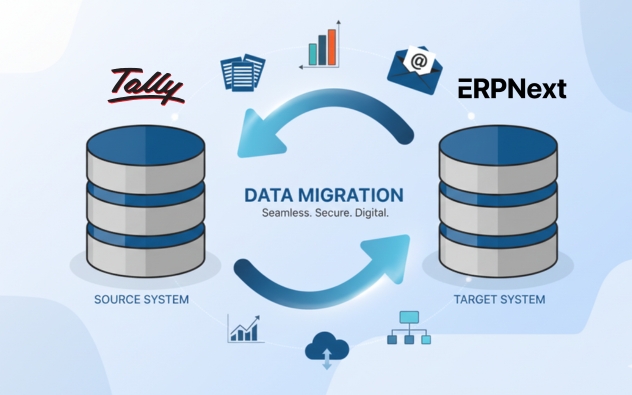
Move beyond Tally’s accounting limitations and embrace ERPNext’s comprehensive, cloud-based ERP platform that integrates all business functions including Manufacturing, CRM, HR, Projects, and advanced inventory management. Sigzen Technologies specializes in seamless Tally to ERPNext migrations that deliver 40-60% reduction in manual data entry, 70% faster month-end closings, and instant access to consolidated multi-branch financial reports. Experience ERPNext’s real-time data access, advanced automation capabilities, unlimited scalability, and freedom from desktop dependency that constrains Tally operations.
Transform Beyond Accounting
Migrate from Tally to ERPNext's Complete ERP Solution
Why Choose Sigzen Technologies for Tally to ERPNext Migration Services?
Step-by-Step Process to Migrating from Tally to ERPNext
Tally System Evaluation and Business Requirements
Analyze your Tally installation including chart of accounts structure, inventory organization, transaction volumes, and customized reports. Document accounting workflows, identify operational needs beyond Tally’s capabilities, and define ERPNext implementation scope.
Migration Strategy and Timeline Definition
Create a detailed migration plan addressing transition from accounting software to comprehensive ERP system. Define a phased approach starting with financial modules, establish realistic timelines considering financial calendar, and allocate resources appropriately.
Financial Data Assessment and Preparation
Conduct thorough audit of Tally data including ledgers, groups, cost centers, vouchers, inventory items, and outstanding balances. Identify data quality issues, plan cleansing activities, and ensure trial balance accuracy before migration.
Chart of Accounts Mapping and Configuration
Map Tally’s chart of accounts structure to ERPNext’s accounting framework ensuring consistency. Configure ERPNext’s accounting module including ledgers, account groups, cost centers, and taxation structures matching Tally’s proven setup.
Data Cleansing and Export Preparation
Execute data cleansing removing obsolete entries, correcting inconsistencies, and standardizing naming conventions. Export data from Tally in formats compatible with ERPNext import tools, prepare templates, and validate export completeness.
Systematic Data Migration and Reconciliation
Import chart of accounts, opening balances, master data (customers, vendors, items), and historical transactions into ERPNext. Conduct rigorous reconciliation comparing ERPNext reports with Tally outputs ensuring absolute financial accuracy.
Extended Module Configuration
Configure ERPNext modules beyond accounting including inventory management, CRM, purchasing, and sales modules. Set up workflows, approval hierarchies, and business processes leveraging ERPNext’s comprehensive ERP capabilities.
Integration and Testing
Connect ERPNext with banking systems, payment gateways, and business applications. Conduct extensive testing including transaction processing, report validation, and reconciliation procedures ensuring financial integrity.
User Training and Transition Support
Train accounting and operational teams on ERPNext’s expanded functionality beyond Tally’s accounting focus. Execute go-live during financial period closure, provide dedicated support during transition, and assist with month-end activities.
Get a free no obligation quote now
Ready to unlock the full potential of ERPNext for your business? Contact us today for a no-obligation consultation to learn more about our ERPNext Consulting Services and discover how our expert ERPNext consultants can help you optimize your operations and drive growth with a customized, scalable ERP solution.
A Quick Comparison of Tally and ERPNext
Feature |
Tally (Tally Prime) |
ERPNext |
| Cost | Desktop license-based pricing with annual renewals | Free and open-source with no licensing fees |
| Customization | Limited customization options | Extensive customization capabilities for specific business needs |
| Community | Vendor-dependent support | Active global community with abundant resources |
| Feature Set | Primarily accounting and basic inventory | Complete ERP including CRM, HR, manufacturing, sales, purchasing, inventory, projects, and accounting |
| Manufacturing | Not available | Advanced manufacturing with BOMs, work orders, production planning, quality control |
| Focus | Accounting and GST compliance for Indian businesses | Comprehensive business management across all departments |
| Deployment | Desktop-based with limited remote access | Cloud-based or self-hosted with anywhere access |
| Integration | Limited integration capabilities | Seamless integration across modules and third-party tools |
| Reporting | Basic financial reports | Advanced analytics, customizable reports, and real-time dashboards |
| Automation | Basic automation | Workflow automation, scheduled tasks, and intelligent alerts |

Conclusion
Migrating from Tally to ERPNext transforms accounting software into comprehensive ERP capabilities, expanding operational scope beyond financial management. Sigzen Technologies ensures accurate financial data migration while introducing integrated inventory, CRM, HR, and manufacturing functionalities. Organizations gain cloud accessibility, multi-user collaboration, automated workflows, and real-time visibility impossible with Tally’s desktop-based limitations. Our structured approach maintains accounting rigor while delivering enterprise-grade business management, providing immediate operational benefits, improved efficiency, and substantial ROI through unified system eliminating manual processes and data reconciliation efforts.
Frequently Asked Questions
Why should we migrate from Tally to ERPNext?
Migrating from Tally to ERPNext gives you full business management beyond accounting CRM, HR, Manufacturing, Projects, Inventory, and E-commerce in one cloud platform. Tally is strong at accounting but is desktop-bound, lacks native CRM and HR, and offers limited reporting and integrations. ERPNext cuts manual data entry by 40-60% and speeds up financial closings by 70%, with real-time dashboards and full customization freedom.
How long does Tally to ERPNext migration take with Sigzen?
Tally to ERPNext migration usually takes 4 weeks to 4 months, depending on your data. Single-company setups finish in 4-8 weeks, while multi-company businesses with deep transaction history and multiple branches take 2-4 months. Sigzen migrates master data and opening balances first, then transactions, adding a 2–4-week parallel run so both systems can be validated before final cutover.
Can Sigzen migrate all our Tally data to ERPNext?
Yes, Sigzen migrates your full Tally dataset—chart of accounts, customer and supplier masters, item masters, opening balances, sales and purchase invoices, payment and receipt vouchers, journal entries, stock transactions, and tax records. We use ERPNext’s Tally Migration tool for XML exports and CSV imports for structured data, moving history chronologically to preserve audit trails. Cleansing, validation, and reconciliation deliver 99.99% migration accuracy.
What are the main challenges in Tally to ERPNext migration?
The main challenges are data inconsistencies and field-mapping errors, custom Tally voucher types, multi-company consolidation, staff adapting to a new system, and attachments (which Tally doesn’t export). Sigzen handles these with pre-check scripts that flag issues before import, small test batches, automated reconciliation, hands-on training, and parallel runs—so problems are caught and resolved well before your final go-live.
Will our business operations be disrupted during migration?
No, most Sigzen clients experience zero downtime. We run Tally and ERPNext in parallel for 2-4 weeks so data can be validated without an immediate cutover, and schedule transfers during weekends or low-activity periods. Final cutover is timed for a financial period-end when business naturally pauses, and a dedicated support team stays available through go-live to resolve any issues right away.
How does ERPNext improve upon Tally's functionality?
ERPNext adds full modules CRM, HR, Manufacturing, Projects, and E-commerce that Tally lacks, all accessible from the cloud instead of a single desktop. Automation cuts manual work by 40-60% through workflows and automatic stock reordering, while real-time dashboards show sales, inventory, and cash flow at a glance. It also consolidates multi-branch reporting automatically and integrates with e-commerce, payment gateways, and other tools.
What post-migration support does Sigzen provide?
Sigzen provides post-migration support covering system optimization, performance monitoring, user training, and troubleshooting, with a dedicated team during the critical go-live phase. Ongoing services include updates, security patches, backups, and performance tuning. We hold regular reviews to gather feedback and add customizations as you grow, and training continues beyond launch so your team can use ERPNext’s reporting, automation, and integration features fully.
Rating: 5 / 5 (17 votes)